
How to Plan a Scalable Bubble.io Application
Introduction
Bubble.io has changed the way modern web applications are built. It allows startups, founders, and growing businesses to create powerful web apps without traditional coding, helping them launch products faster and with greater flexibility.
Businesses use Bubble to build SaaS platforms, marketplaces, internal tools, customer portals, and many other types of applications. It makes it possible to turn ideas into working products quickly.
As your product grows, user expectations also increase. More users, expanding data, and additional features require thoughtful planning to ensure your application continues to perform smoothly. This is where scalability becomes important.
A scalable Bubble.io application is designed to grow confidently as your business expands. It supports increasing users, evolving features, and new integrations while maintaining strong performance and structure.
In this article, we will explore how to plan a scalable Bubble.io application from the beginning. We will cover architecture planning, database design, workflow optimization, performance strategies, and long-term maintainability in practical terms.
What Does Scalability Mean in Bubble.io?
Scalability in Bubble.io means your application is designed to handle growth smoothly and confidently.
Growth can happen in many ways:
- More users signing up
- More data being stored
- More features being added
- More integrations being connected
- More internal team members using the system
A scalable Bubble application is structured in a way that supports this growth without requiring major restructuring. It is not just about handling traffic. It is about having a clean system behind the scenes.
In Bubble, scalability depends heavily on how you build:
- Your database
- Your workflows
- Your privacy rules
- Your page structure
- Your reusable components
If these elements are thoughtfully planned, your app can expand naturally as your business grows.
For example:
A marketplace app that starts with 100 users may grow to 10,000 users.
A SaaS tool may begin with 50 companies and later support 2,000 companies.
An internal CRM may start with 5 team members and later support multiple departments.
Scalability ensures the app structure supports that growth.
Why Scalability Matters for Business Growth
User expectations for performance are high, especially on mobile devices. Many studies show that visitors are much more likely to engage when pages load quickly.
For example, over half of mobile users leave a page if it takes more than three seconds to load. This means fast performance helps keep users engaged and supports retention.
Other data shows that nearly three-quarters of mobile users have experienced a slowloading site, and almost half expect pages to load in two seconds or less.
This shows something important.
Scalability is not only technical. It directly impacts:
- User experience
- Customer retention
- Conversion rates
- Business credibility
- Revenue growth
A well-structured Bubble application supports consistent performance even as data and users increase over time.
Technical Scalability vs Business Scalability
It helps to understand two types of scalability.
 Technical Scalability
This focuses on:
- Database performance
- Workflow execution
- Page load speed
- Backend processing
- Workload management
In Bubble, this means designing efficient searches, structured data relationships, and optimized workflows.
Business Scalability
This focuses on:
- Adding new features easily
- Expanding to new markets
- Supporting new user roles
- Integrating with external systems
If your architecture is clean, adding new modules becomes much easier.
What Makes a Bubble App Scalable?
A scalable Bubble.io application typically includes:
- A well-planned database schema
- Minimal data duplication
- Optimized search queries
- Backend workflows for heavy tasks
- Clear user role structure
- Reusable UI components
- Structured naming conventions
These decisions may seem small at the beginning. Over time, they make a big difference.
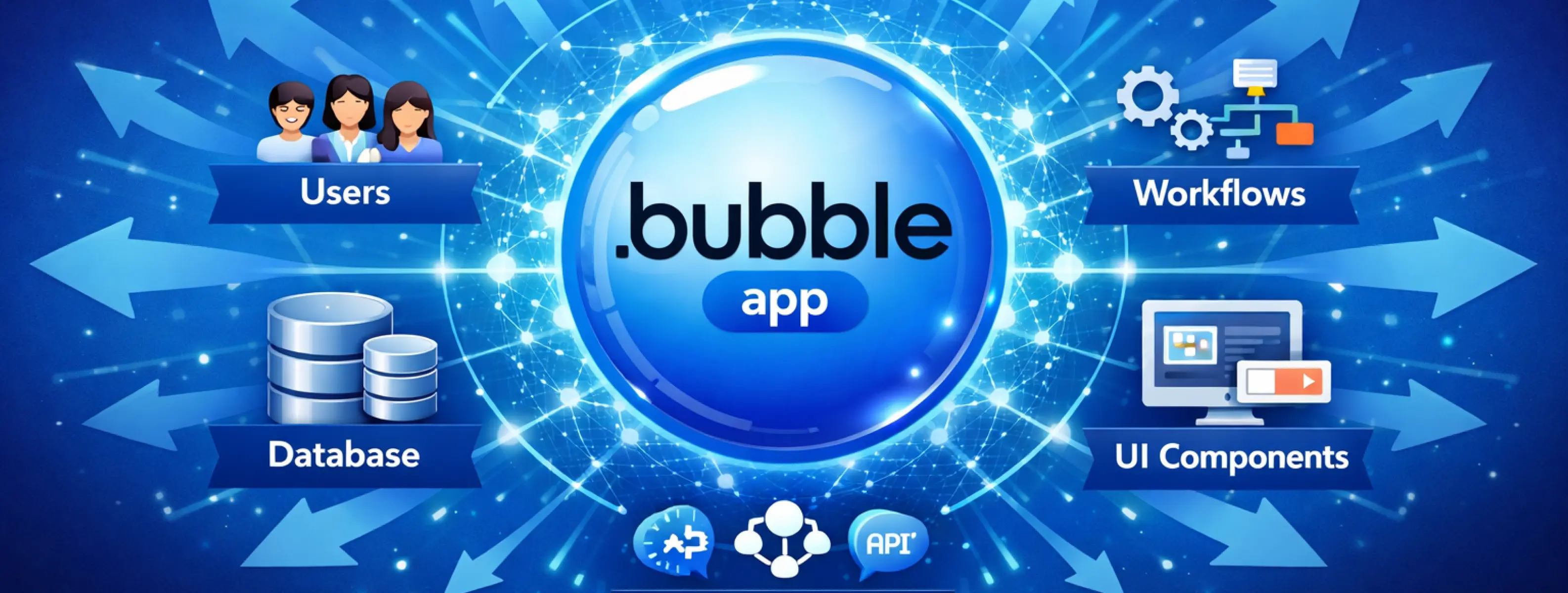

Start With a Clear Product Architecture
Before building anything in Bubble, you need a clear product architecture.
Product architecture means planning how your application will be structured before you start designing pages or creating workflows.
Many successful Bubble applications scale well because the structure was defined early.
What is Product Architecture in Bubble?
In simple words, product architecture answers these questions:
- Who are the users?
- What can each user do?
- How does data move through the system?
- What are the main features?
- How do features connect with each other?
When these answers are clear, building becomes smoother and more organized.
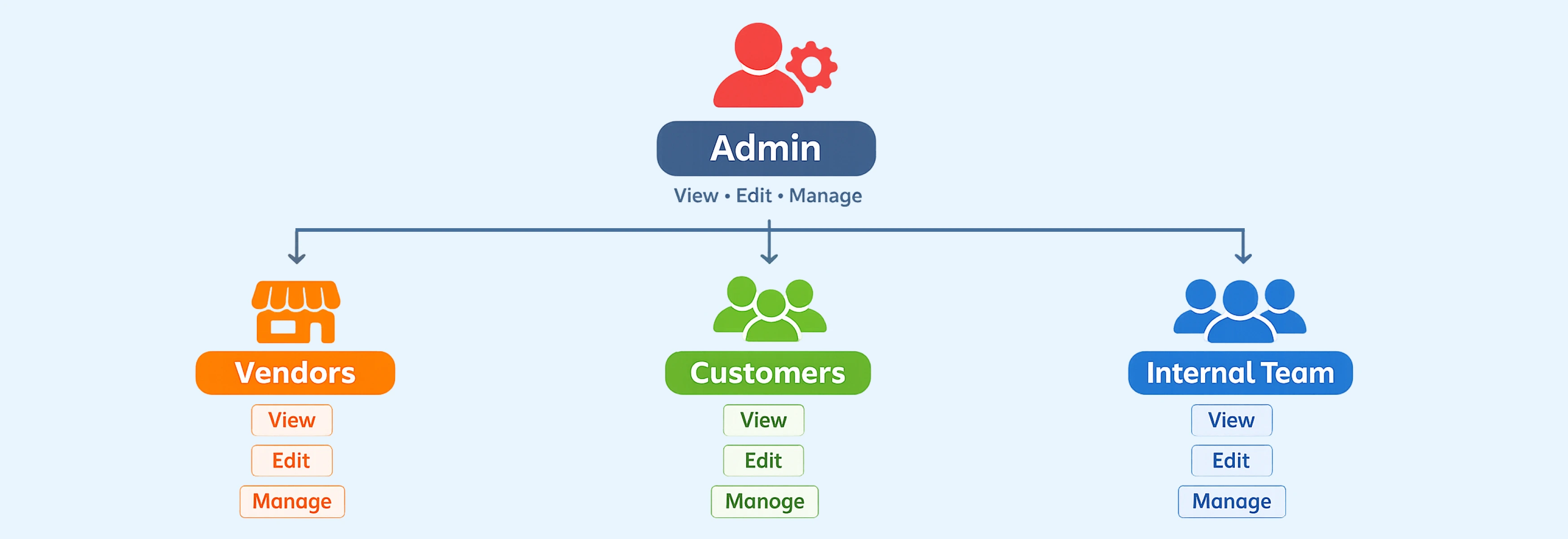
Step 1: Define User Types Clearly
Start by identifying all user roles.
For example:
- Admin
- Customer
- Vendor
- Team Member
- Super Admin
- Support Staff
Each user type should have clearly defined permissions and actions.
Instead of building features first, define:
- What each role can see
- What each role can edit
- What each role can create
- What each role cannot access
This helps you design clean privacy rules and workflows later.
Step 2: Map Core Features Before Building
List your core features clearly.
For example, in a SaaS platform:
- User registration and login
- Dashboard
- Subscription management
- Reports
- Notifications
- Settings
Then ask:
- Which features depend on each other?
- Which data types are required for each feature?
- Which actions trigger workflows?
This planning avoids confusion later.
You can create a simple feature map using tools like Miro, Figma, or even a whiteboard.
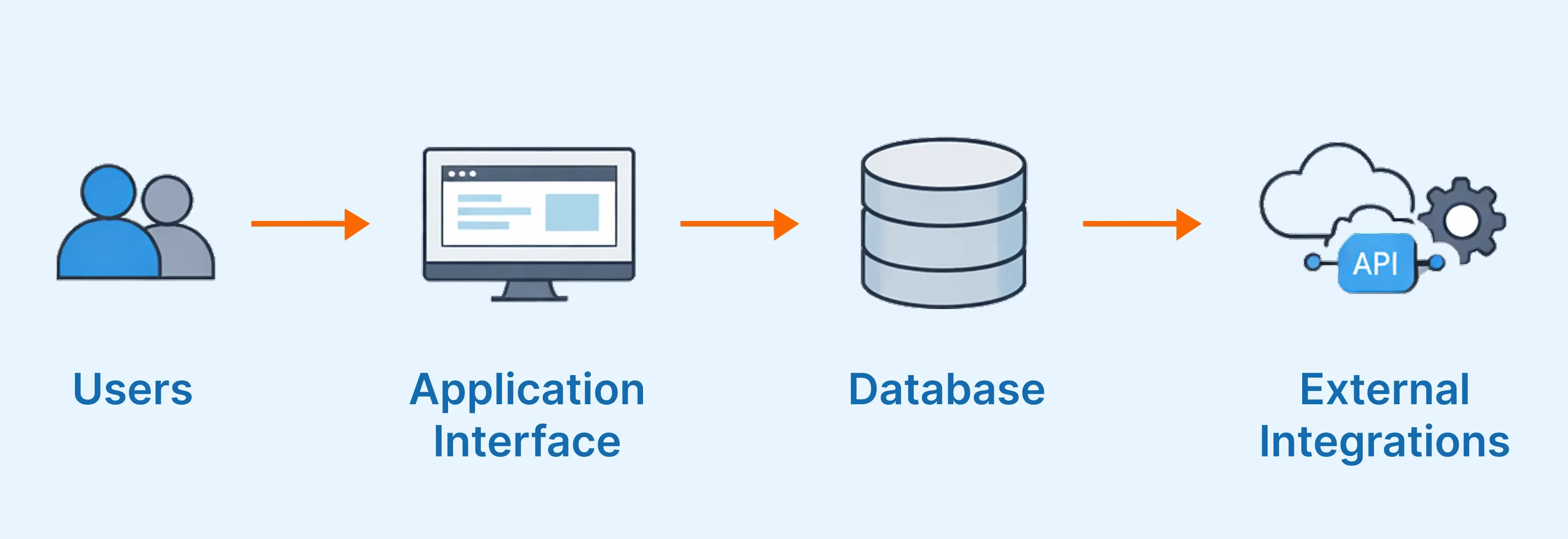
Step 3: Create a Basic Data Flow Plan
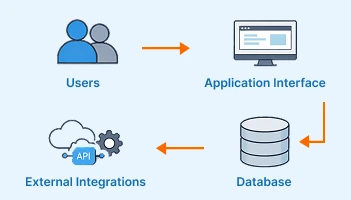
Think about how information moves inside your app.
Example:
- User signs up
- User record is created
- Welcome email is sent
- Default settings are assigned
- Subscription status is stored
This is called a data flow.
When you map this clearly before building workflows in Bubble, you reduce unnecessary complexity.
Step 4: Outline the Database Structure Early
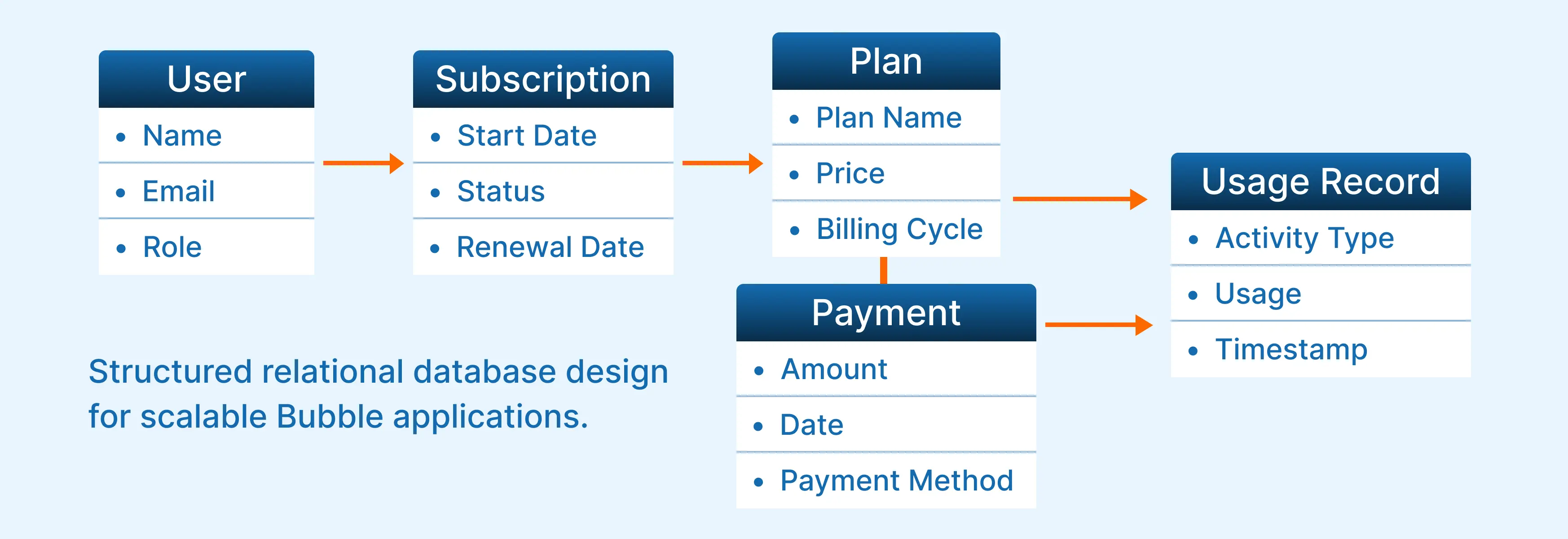
Before touching the Bubble editor, outline:
Data types
Key fields
Relationships between data types
Example for a marketplace:
Data Types:
- User
- Product
- Order
- Review
Relationships:
- User creates Products
- User places Orders
- Order contains Products
- User writes Reviews
This ensures your app grows in a structured way.
Why Architecture Planning Improves Scalability
When architecture is clear:
- Adding new features becomes easier
- Integrations connect smoothly
- Database relationships remain clean
- Workflows stay organized
- Team collaboration improves
Planning does not slow development. It strengthens it.
A structured foundation allows your Bubble application to grow confidently.
Design a Clean and Optimized Database
Plan Smart and Structured Workflows
As your Bubble application grows, workflows become the operational engine behind every feature. They control how data moves, how users interact with the system, and how your business logic executes. In the early stages of development, workflows feel manageable because there are only a few actions tied to a few buttons. But as features expand, workflows multiply quickly. Without structure, they become tangled, difficult to debug, and risky to modify.
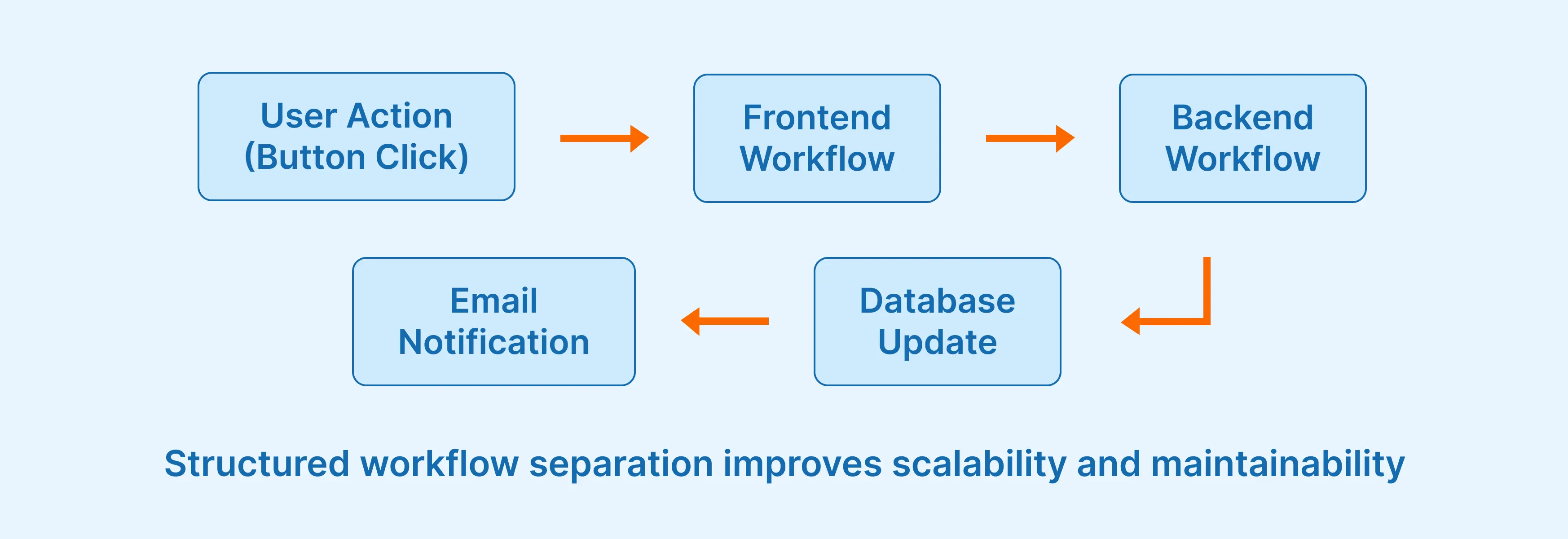
One of the most common scalability issues arises when workflows are built as long, unstructured chains of actions. For example, when a user upgrades their subscription, the system may update the subscription record, adjust permissions, log the transaction, trigger payment processing, send a confirmation email, and record analytics data. If all of this logic exists inside one extended workflow, it becomes fragile. Any small change can unintentionally affect multiple outcomes.
A more scalable approach is to think in processes rather than clicks. Instead of building one long workflow that handles everything, separate responsibilities. A frontend workflow may initiate the upgrade request. A backend workflow may process payment confirmation. Another backend workflow may log activity or trigger email notifications. This modular structure makes your application easier to maintain and far safer to expand over time.
Backend workflows are particularly important for performance. Heavy operations such as generating reports, running bulk updates, or scheduling recurring calculations should not rely entirely on frontend logic. Moving complex processing to backend workflows allows the user interface to remain responsive while deeper logic executes in the background. This improves both performance and user experience, especially as data volume increases.
Clear naming conventions also become critical as the number of workflows grows. When applications reach scale, it is common to have dozens or even hundreds of workflows. Consistent naming patterns make navigation easier and reduce onboarding time for new team members. Organization is not just about neatness. It is a direct contributor to longterm scalability.
Use Privacy Rules Strategically
As your application grows, managing who can view and modify data becomes increasingly important. Privacy rules in Bubble are not just about security. They also influence performance and data integrity. When structured correctly, they create a predictable and controlled environment where users interact only with the data relevant to them.
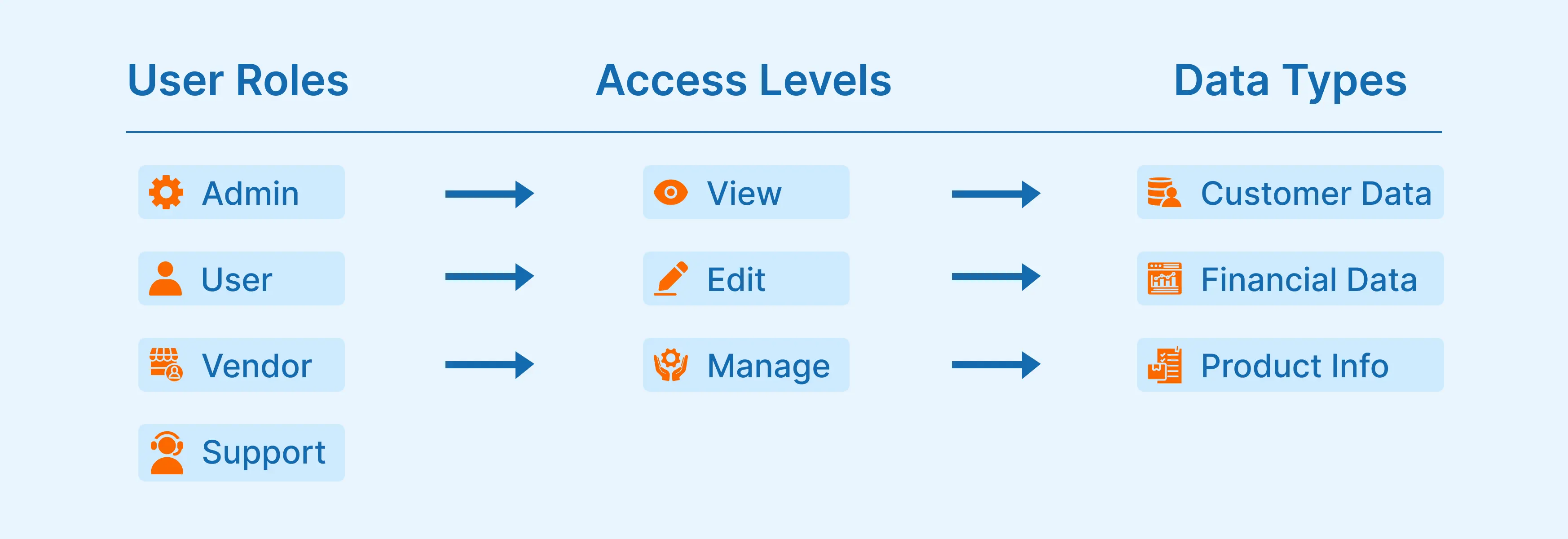
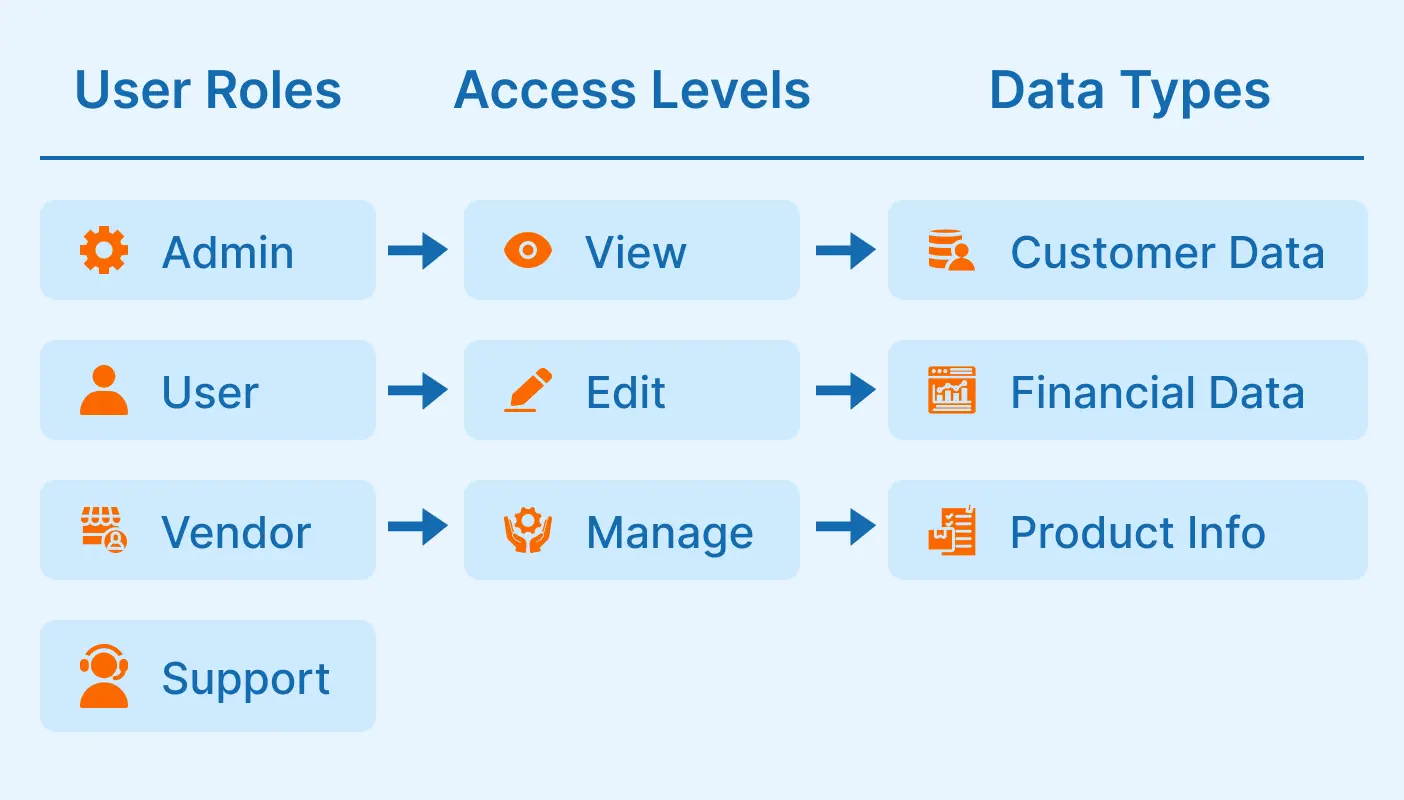
Before writing privacy rules, you should clearly define user roles within your system. For example, administrators may have full system access, standard users may only access their own records, vendors may manage their own products, and support staff may have restricted viewing permissions. When these roles are clearly defined at the architectural level, implementing privacy rules becomes logical rather than reactive.
Privacy conditions should remain simple and consistent. Overly layered or conflicting rules create confusion and may impact performance as data volume increases. The more predictable your access logic, the easier it becomes to maintain the system at scale.
Well-structured privacy rules also reduce risk. As your user base grows, exposure risks increase if access logic is unclear. Planning privacy architecture early prevents major restructuring later.
Build With Performance in Mind
Performance should not be treated as an optimization step after launch. It should be considered during architecture planning. As data accumulates and user activity increases, small inefficiencies can compound into noticeable slowdowns.
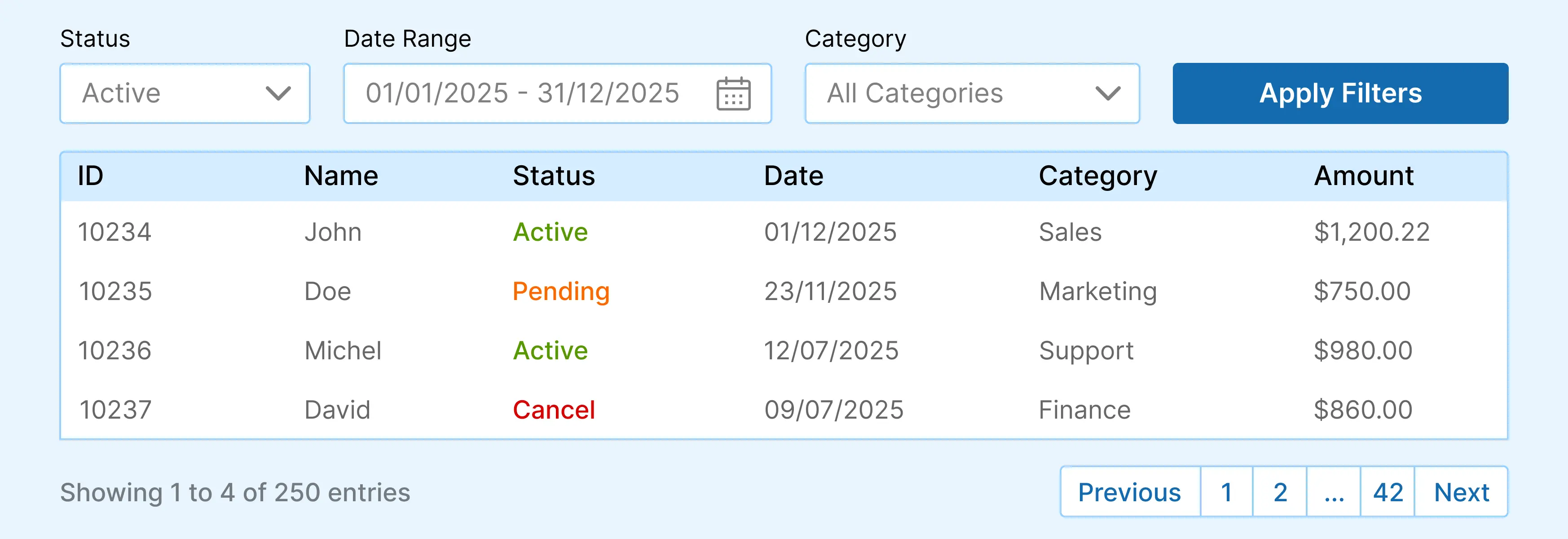
Dashboard design plays a major role in this. Loading large volumes of data into repeating groups without constraints can quickly strain performance. Instead, implement structured data loading strategies such as pagination, filtered searches, and limited initial result sets. This ensures that users only load what they need.
Reducing unnecessary processing is equally important. Complex nested searches, excessive conditional logic, and redundant calculations increase workload usage. Simplifying search conditions and moving heavy logic to backend workflows keeps performance stable as your application scales.
Testing performance with larger datasets before launch is another essential step. Simulating growth conditions gives you insight into how your architecture behaves under pressure, rather than discovering limitations after users experience them.
Create Modular UI and Reusable Components
Prepare for API and Third-Party Integrations
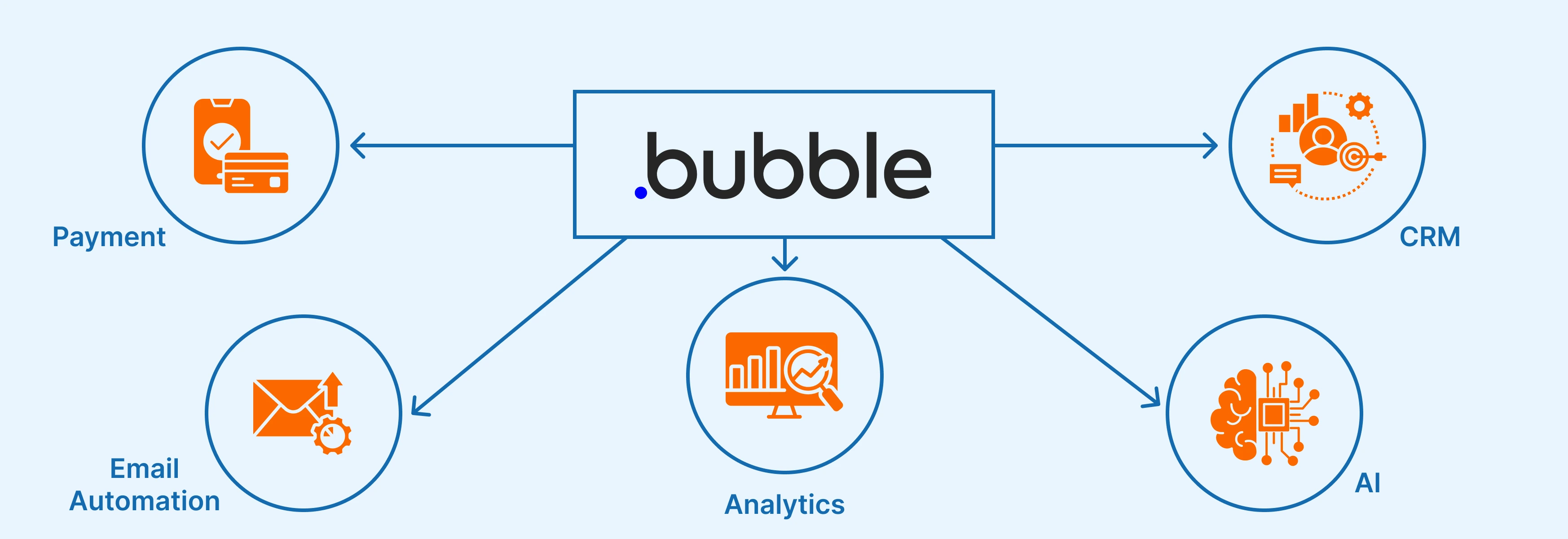
Modern applications rarely operate in isolation. As your product matures, you may need to integrate payment gateways, CRM systems, email automation platforms, analytics tools, or AI services. Scalability requires preparing your architecture to support these integrations even if they are not implemented immediately.
A common mistake is treating integrations as an afterthought. When fields for external IDs, webhook data, or API responses are not structured properly from the beginning, integration later becomes more complex than necessary. By designing your database with flexibility in mind, you allow space for external references without restructuring core logic.
For example, when integrating with a payment processor, each transaction record should store both internal and external identifiers. When connecting to a CRM, user records may need fields that store external system IDs. Planning for these possibilities early ensures smoother expansion. Integration readiness is not about adding complexity. It is about creating structured flexibility that supports growth.
Understand Workload and Hosting Strategy
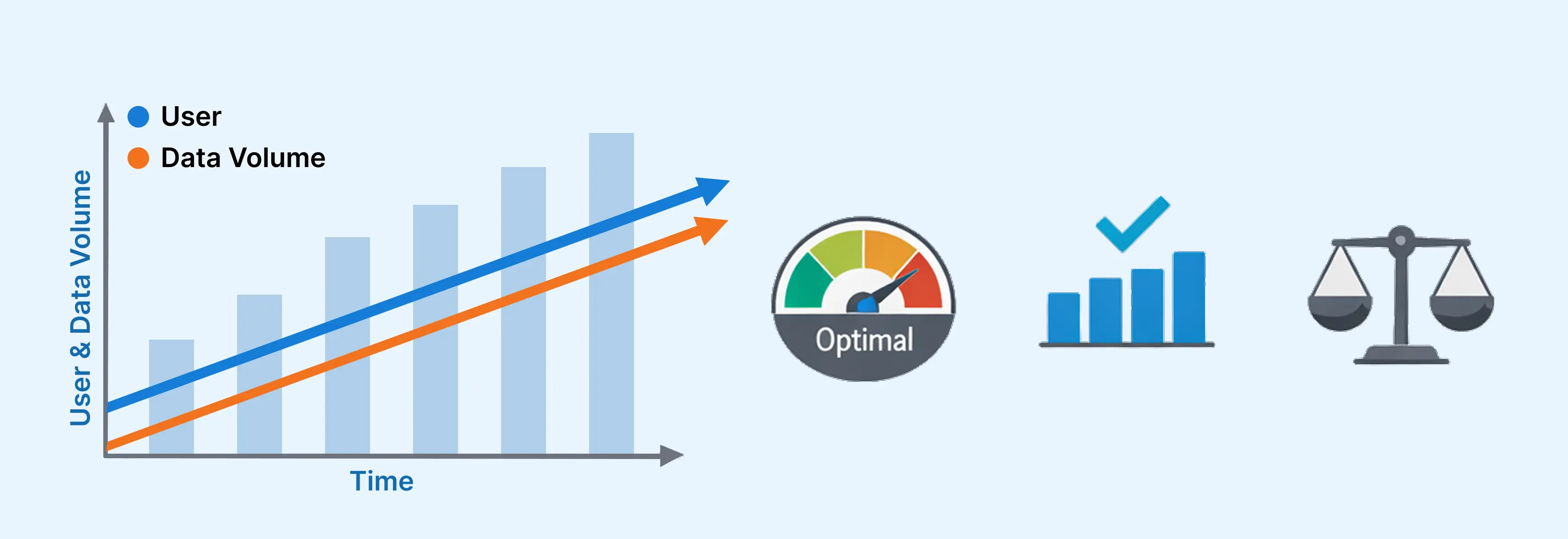
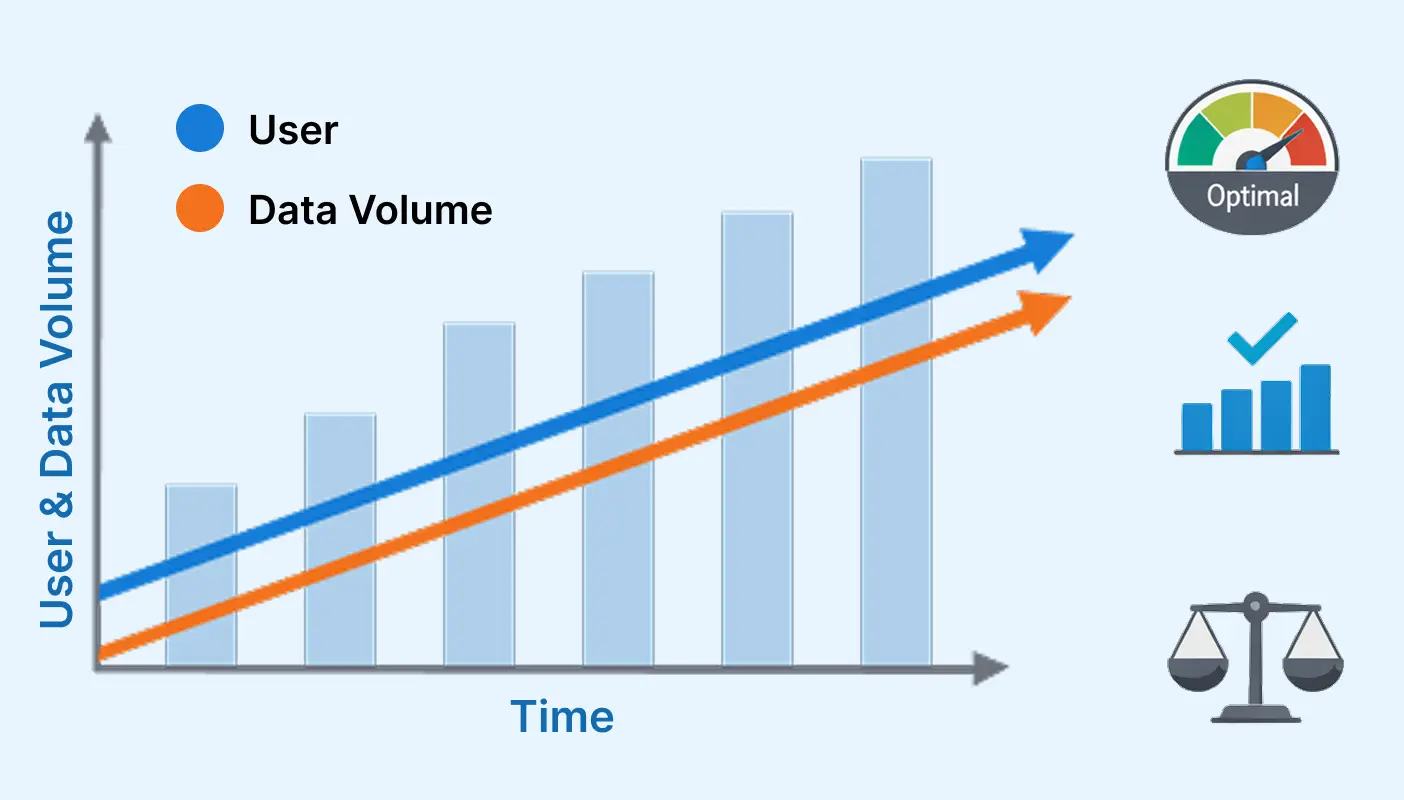
Bubble uses workload units to measure how much processing your application consumes. As user activity increases and workflows become more complex, workload usage naturally grows. Scalability requires understanding how architectural decisions influence this usage.
Complex searches, large repeating groups, bulk operations, and frequent backend workflows all contribute to workload consumption. When these elements are built without optimization, costs increase and performance may decline. By designing efficient database searches, limiting unnecessary processing, and moving heavy logic to backend workflows, you manage workload more effectively.
Planning for scalability also includes aligning your hosting plan with projected growth. Estimating user activity, transaction volume, and reporting frequency helps you anticipate future resource needs. Strategic planning prevents unexpected performance issues or sudden cost spikes as your product gains traction. Scalability is both technical and strategic. It requires monitoring performance as your application evolves.
Test With Growth in Mind
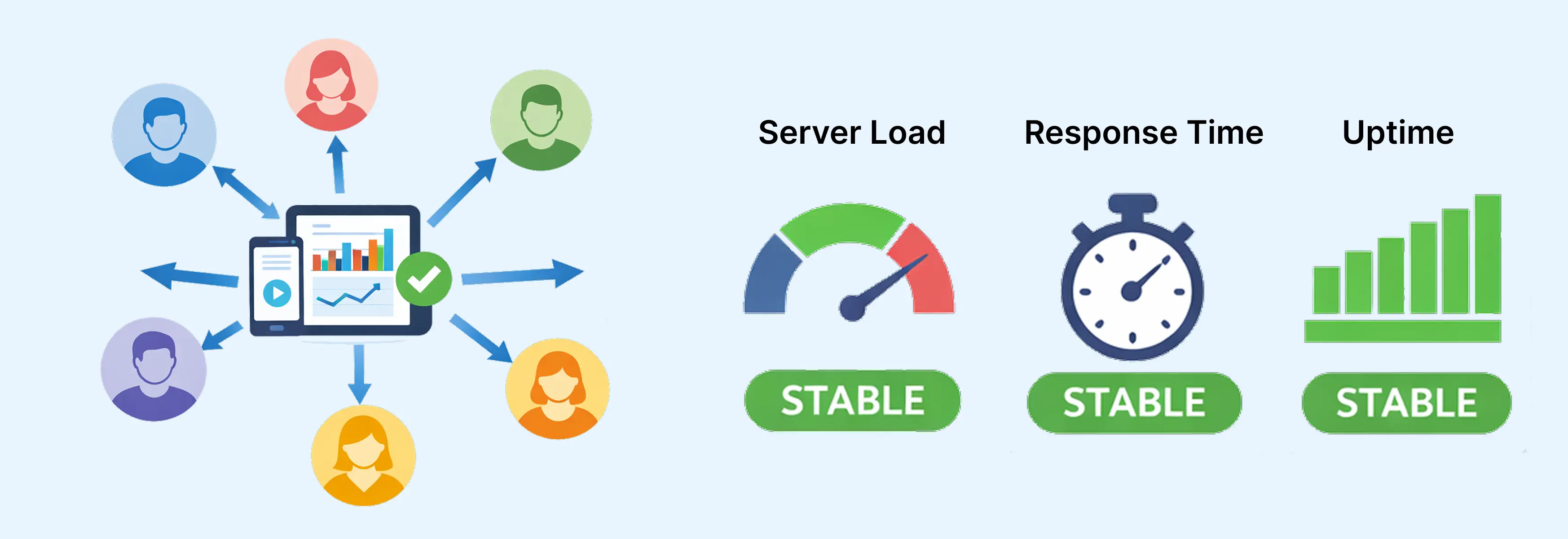
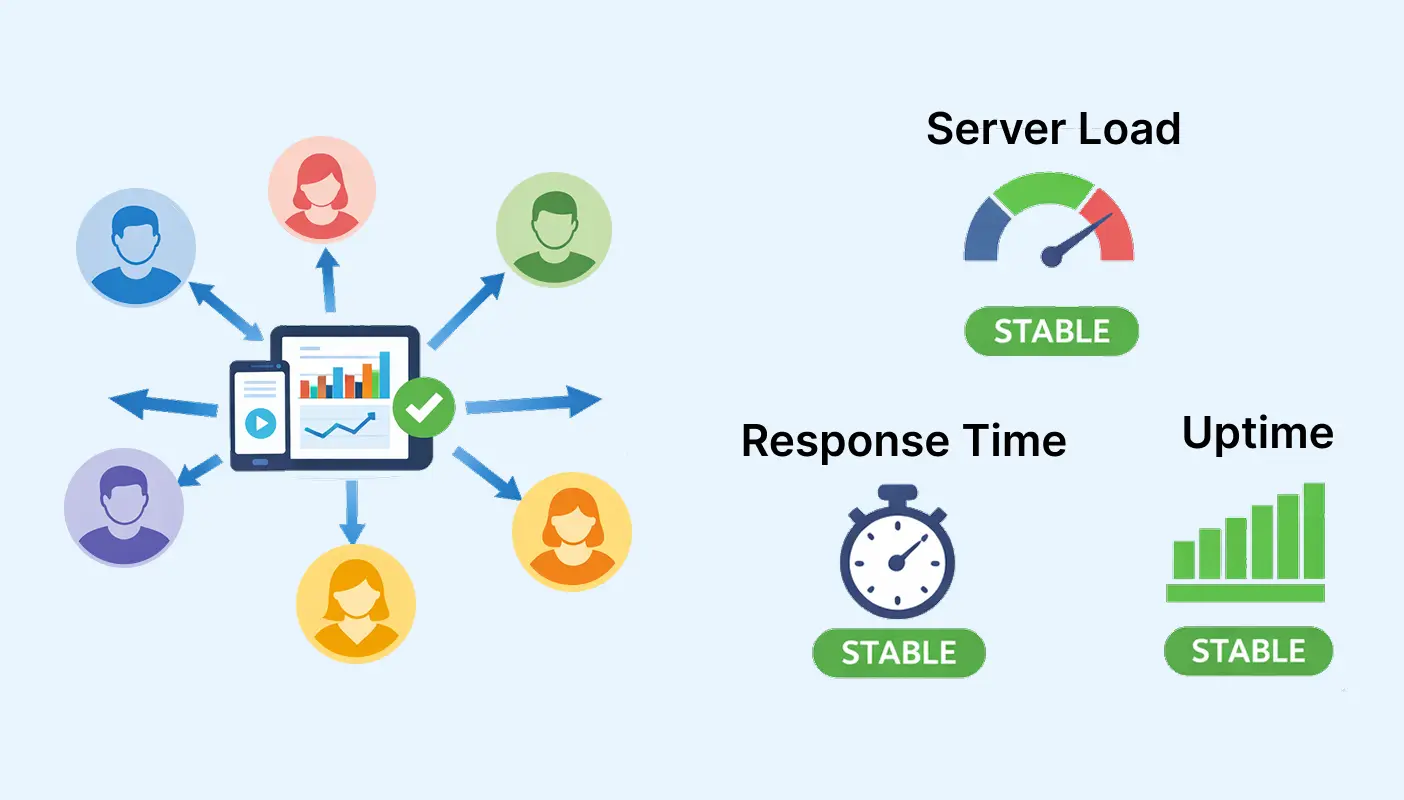
Testing is often performed with limited data during development. While this may confirm that features function correctly, it does not accurately simulate real-world growth conditions. A truly scalable application must be tested under pressure before users experience it at scale.
This means populating your database with large datasets, simulating concurrent user activity, and triggering workflows repeatedly. Observing how the system behaves under these conditions provides valuable insight into potential bottlenecks. It is far better to identify inefficiencies before launch than to react after users report slow performance.
Load testing also reveals whether search queries remain efficient, whether dashboards handle larger datasets smoothly, and whether backend workflows execute within acceptable timeframes. Scalability is not proven by functionality alone. It is proven by stability under demand. Testing with growth scenarios builds confidence that your architecture can support expansion.
Plan for Long-Term Maintainability
Scalability is not just about handling more users. It is about maintaining clarity as your system becomes more complex. As your team grows or additional developers join the project, documentation and structured organization become essential.
Documenting your data structure, workflow logic, privacy rules, and integration setup reduces onboarding time and prevents errors. Clear internal documentation ensures that future updates align with original architecture decisions. Without this structure, feature additions can slowly introduce inconsistencies that weaken scalability.
Maintaining staging environments for testing new features before deployment also protects system stability. Structured release processes prevent accidental disruptions in live environments. Over time, this disciplined approach preserves both performance and reliability.
Conclusion
Scalability in Bubble.io is not something that happens automatically as your user base grows. It is the result of deliberate architectural decisions made from the very beginning. The way your database is structured, how workflows are organized, how privacy rules are defined, and how performance is managed all determine whether your application can expand smoothly or struggle under pressure.
Applications that are built only for launch often face limitations as soon as traction begins. Quick fixes in database design, duplicated data, unstructured workflows, and inefficient searches may work temporarily, but they create friction as complexity increases. In contrast, applications built with structured relationships, modular logic, controlled data access, and performance awareness are able to handle growth confidently. New features can be added without breaking existing systems. Increased user activity does not compromise stability. Expansion feels controlled rather than chaotic.
At Brevity Technology Solutions, scalability is treated as a foundation, not an afterthought. Every Bubble project begins with careful database mapping, structured workflow planning, clear access control design, and future-ready integration architecture. The goal is not just to deliver a working application, but to create a resilient platform that supports long-term growth.
Whether you are building an MVP, scaling an existing Bubble application, or planning for rapid expansion, the right technical foundation makes all the difference.
Need assistance with building or scaling your Bubble application? Book a free consultation call and let’s discuss how to create a system designed for sustainable growth.
Related Post



-
F
-
A
-
Q
Scalability in a Bubble.io application refers to the system’s ability to handle increasing users, data volume, and feature complexity without performance degradation. A scalable app maintains stability and responsiveness as demand grows. This depends on structured database design, efficient workflows, optimized searches, and thoughtful architecture rather than just hosting upgrades.
Yes, Bubble.io can support large-scale applications when they are built with proper architectural planning. Performance challenges typically arise from inefficient database structures, duplicated data, complex search queries, or poorly organized workflows. With optimized data relationships and backend workflows, Bubble apps can scale effectively for growing businesses.
Database design directly affects search efficiency, reporting accuracy, and workload consumption. Poorly structured data types and duplicated records increase processing time and complexity. A relational database structure with clear references between data types ensures cleaner queries, better performance, and easier expansion as the dataset grows.
Backend workflows allow heavy processing tasks to run in the background rather than in the user interface. They are essential for tasks such as bulk updates, scheduled actions, report generation, and complex logic execution. Using backend workflows improves performance, keeps the UI responsive, and supports scalable growth.
Reducing workload usage involves simplifying search conditions, avoiding unnecessary nested queries, limiting the number of records loaded at once, and moving heavy processing to backend workflows. Efficient database relationships and optimized dashboard design also contribute significantly to lower workload consumption.
Privacy rules control data access and protect sensitive information. When structured clearly and logically, they improve both security and performance. Overly complex or conflicting privacy conditions can slow down data retrieval. A role-based access model helps maintain clarity and efficiency as user numbers grow.
Testing with large datasets is highly recommended. Small-scale testing may not reveal performance bottlenecks that appear under growth conditions. Simulating real-world usage with higher data volumes and concurrent users helps identify inefficiencies early and ensures the application performs reliably after launch.
Common mistakes include duplicating data across multiple records, building long unstructured workflows, loading too many records into repeating groups, and ignoring backend workflows. Another frequent issue is designing only for launch instead of planning for growth. These decisions often lead to technical debt and performance issues later.
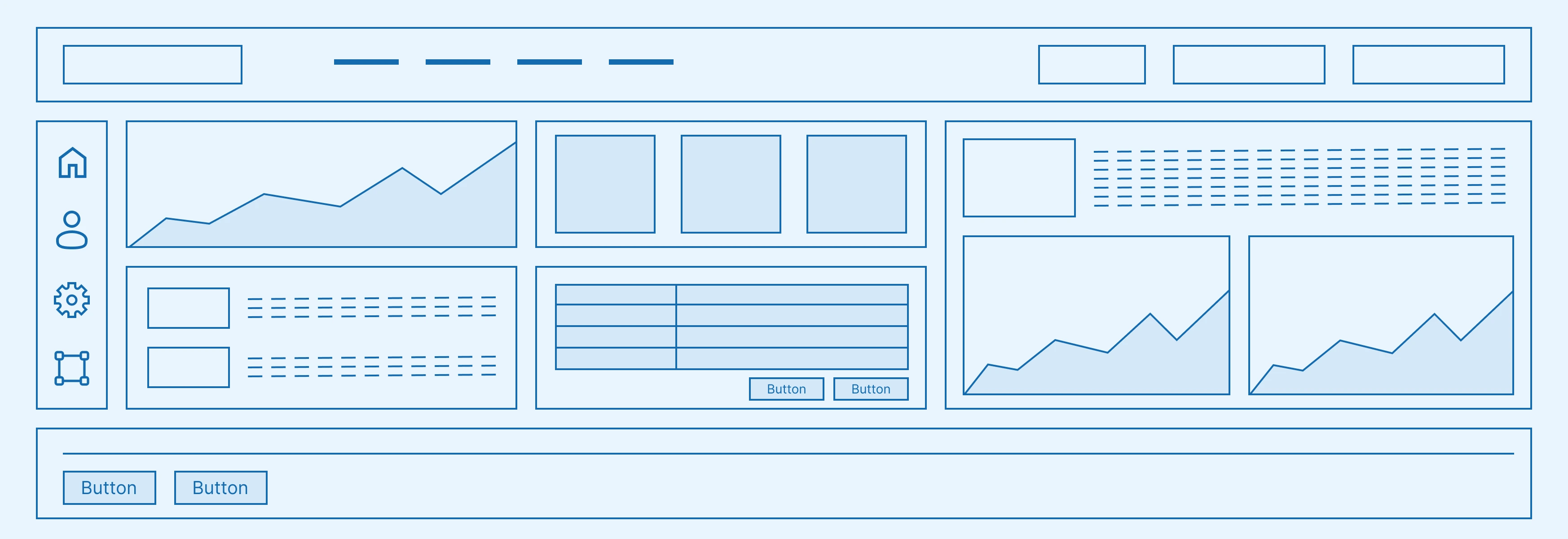
Modular UI design improves scalability by centralizing reusable components such as navigation bars, buttons, and layouts. This approach ensures visual consistency and simplifies updates. When changes are required, they can be made in one place rather than across multiple duplicated elements, reducing maintenance complexity.
Yes, hosting plans influence workload limits and performance capacity. However, upgrading plans alone does not solve structural inefficiencies. True scalability depends on optimized architecture. Hosting upgrades should complement strong technical foundations rather than compensate for poor design.
Yes, existing applications can be restructured and optimized. This may involve redesigning database relationships, cleaning duplicated data, simplifying workflows, implementing backend processes, and refining search logic. While optimization requires careful planning, it can significantly improve performance and long-term stability.
Documentation plays a crucial role in long-term scalability. As teams grow and features expand, clear documentation of database structure, workflows, privacy rules, and integrations prevents confusion and errors. Well-documented systems are easier to maintain, extend, and transfer between developers.
Performance optimization focuses on improving speed and efficiency in the current state of the application. Scalability, on the other hand, ensures that performance remains stable as usage grows. An app may perform well with 100 users but struggle with 10,000 if it was not designed with scalability in mind.
Want to Scale
Your Business? Let’s Meet & Discuss!

CANADA
30 Eglinton Ave W Mississauga, Ontario L5R 3E7
Get a Quote Now
Let's delve into a thorough understanding of your challenges and explore potential solutions together